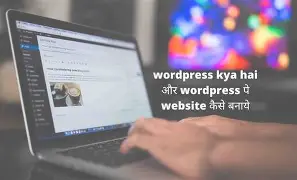
WordPress: The Powerful Blogging Platform for Businesses and Beyond
<main>
    <section id="introduction">
        <h2>Introduction</h2>
        Welcome to our tutorial on WordPress! In this article, we'll explore what WordPress is, why it's so popular, and how you can use it for your business or personal blogging needs.
    </section>

    <section id="what-is-wordpress">
        <h2>What is WordPress?</h2>
        WordPress is an open-source content management system (CMS) that was first released in 2003. It's now one of the most widely used CMS platforms on the internet, powering more than 40% of all websites.
        <figure>
            <img src="https://jmsilcom.com/wp-content/uploads/2026/03/wordpress_kya_hai_28f847.webp" alt="WordPress logo">
            <figcaption>The official WordPress logo</figcaption>
        </figure>
    </section>

    <section id="why-use-wordpress">
        <h2>Why Use WordPress?</h2>
        WordPress offers a wide range of benefits, making it an ideal choice for businesses and bloggers alike. Here are some reasons why:
        <ul>
            <li><strong>Flexibility:</strong> With thousands of themes and plugins available, you can easily customize your WordPress site to match your brand and meet your specific needs.</li>
            <li><strong>Scalability:</strong> As your business grows, so can your WordPress site. It's built to handle high traffic volumes and large databases, ensuring that your site remains fast and responsive.</li>
            <li><strong>Security:</strong> With regular updates and a dedicated security team, WordPress is constantly evolving to protect against potential threats and vulnerabilities.</li>
        </ul>
    </section>

    <section id="how-to-use-wordpress">
        <h2>How to Use WordPress</h2>
        To create a WordPress site, you'll first need to set up hosting and install WordPress. This can be done with just a few clicks using most popular web hosts.
        <figure>
            <img src="https://jmsilcom.com/wp-content/uploads/2026/03/wordpress_kya_hai_28f847.webp" alt="WordPress Dashboard">
            <figcaption>The WordPress dashboard</figcaption>
        </figure>
        Once installed, you can start customizing your site using themes and plugins. There are also countless tutorials available online to help you get started.
    </section>

    <section id="conclusion">
        <h2>Conclusion</h2>
        WordPress is a powerful tool for businesses and bloggers alike. Its flexibility, scalability, and security make it an ideal choice for anyone looking to create a professional-looking website with minimal technical knowledge.
        <figure>
            <img src="https://jmsilcom.com/wp-content/uploads/2026/03/wordpress_kya_hai_49d7d4.webp" alt="WordPress in action">
            <figcaption>A WordPress site in action</figcaption>
        </figure>
    </section>
</main>

<footer>
    <!-- Add your footer content here -->
</footer>