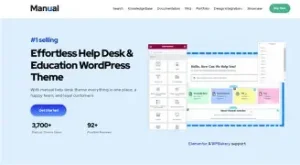
WordPress Website Templates: Create Your Dream Website with Ease
In the digital age, having a website is essential for any business or individual looking to establish an online presence. However, creating a website can be a daunting task, especially for those who lack technical skills. This is where WordPress comes in – a factory that makes webpages, allowing users to create and publish content with minimal effort.
WordPress is a free and open-source content management system (CMS) that enables users to create and manage websites without any coding or design expertise. It was originally developed as a blogging platform but has since evolved into a powerful tool for creating various types of websites, including e-commerce sites, portfolios, business sites, and more. WordPress is written in PHP and uses a MySQL or MariaDB database to store data.
One of the key features of WordPress is its template system, known as “themes.” Themes allow users to change the look and functionality of their website without altering the core code or site content. With thousands of free and premium themes available, users can easily find one that suits their needs and preferences. Moreover, custom code can be added to the website using a child theme or through a code editor.
To function, WordPress must be installed on a web server, either as part of an internet hosting service or on a personal computer. Once installed, users can access the WordPress dashboard to manage their site’s content, settings, and appearance. The dashboard features a user-friendly interface that allows even beginners to navigate and customize their website with ease.
Another powerful feature of WordPress is its plugin architecture. Plugins allow users to extend or depreciate the features and functionality of their website or blog. With over 59,000 free plugins available on WordPress.org alone, users can add a wide range of features to their site, including contact forms, social media integration, SEO optimization, and more.
Now, let’s talk about creating a professional website using WordPress and Elementor. Elementor is a popular page builder plugin that allows users to create custom layouts and designs for their website using a drag-and-drop interface. With its user-friendly features and extensive library of templates, Elementor makes it easy for anyone to create a modern and professional website without any coding or design skills.
To get started, you’ll need to choose a domain name and web hosting service. There are many affordable options available, including Bluehost, SiteGround, and HostGator. Once you’ve signed up for a hosting plan, you can install WordPress with just a few clicks using the one-click installation feature offered by most hosting providers.
After installing WordPress, you can choose a theme that suits your needs and preferences. There are many free and premium themes available, both on the WordPress repository and third-party websites. Once you’ve chosen a theme, you can customize it using the built-in customization options or by adding custom code using a child theme.
Next, you can install Elementor and start building your website using its drag-and-drop interface. With its extensive library of templates and widgets, you can create custom layouts and designs for your pages, posts, and other content. You can also add interactive elements, such as animations, sliders, and forms, to make your site more engaging and user-friendly.
To take your website to the next level, you can explore the many free and premium plugins available on WordPress.org and other websites. With plugins, you can add features such as SEO optimization, social media integration, e-commerce functionality, and more.
In conclusion, creating a professional website using WordPress and Elementor is easy and accessible to anyone, regardless of their technical skills or experience. With its user-friendly interface, extensive library of themes and plugins, and powerful customization options, WordPress offers a flexible and affordable solution for creating and managing your online presence.
[GALERIA_VIDEOS]
Here are some video tutorials to help you get started with WordPress and Elementor:
- How To Make a FREE Professional Website ~Step By Step~ 2026 (WordPress And Elementor For Beginners)
https://www.youtube.com/watch?v=vTJ5Zy7_-K4 - WordPress for Beginners: Create Your First Website – Full Course in 1 Hour | LinkedIn Learning, Lynda.com
https://www.lynda.com/WordPress-tutorials/WordPress-Create-First-Website/651376-2.html - Elementor 101: A Beginner’s Guide to Using Elementor Page Builder
<https://www.youtube.com/watch?v=Co