Migrating a Hotel Website Without Losing SEO
<main>
    <section id="introduction">
        <h2>Introduction</h2>
        When it comes to migrating a website, especially for businesses like hotels that heavily rely on search engine visibility, the process can seem daunting. However, with proper planning and execution, you can successfully transfer your hotel website without losing any of its SEO value.
    </section>

    <section id="preparation">
        <h2>Preparation</h2>
        Before diving into the migration process, it's essential to prepare both your current and new websites. This includes creating a comprehensive list of all pages, URLs, internal links, images, videos, and other assets that need to be migrated.
    </section>

    <section id="technical-aspects">
        <h2>Technical Aspects</h2>
        <ul>
            <li><strong>Domain Consistency:</strong> Ensure that the domain name remains the same, if possible. If a change is necessary, implement a permanent 301 redirect from the old domain to the new one.</li>
            <li><strong>Content Migration:</strong> Carefully migrate all content, ensuring that it matches exactly on the new website. This includes text, images, videos, and metadata like title tags, meta descriptions, and header tags (H1, H2, etc.).</li>
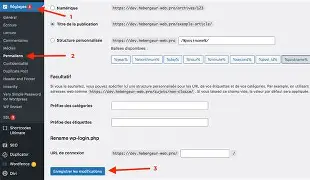
            <li><strong>URL Structure:</strong> Maintain a similar URL structure as much as possible to preserve link equity. Use descriptive and SEO-friendly URLs.</li>
            <li><strong>Internal Linking:</strong> Replace internal links on the new website with the corresponding links from the old one.</li>
        </ul>
    </section>

    <section id="seo-aspects">
        <h2>SEO Aspects</h2>
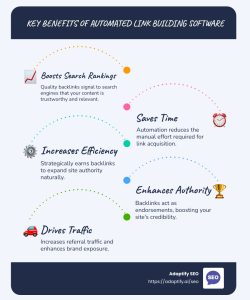
        When it comes to SEO, focus on optimizing your content for relevant keywords, creating high-quality backlinks, and ensuring proper indexing by search engines.
    </section>

    <section id="testing">
        <h2>Testing</h2>
        Once the migration is complete, thoroughly test the new website to ensure that all pages are functioning correctly, internal links are working as expected, and there are no broken images or other assets. Use tools like Google Search Console to check for any issues.
    </section>

    <section id="monitoring">
        <h2>Monitoring</h2>
        After the migration, closely monitor your website's performance in search engine results pages (SERPs). Use tools like Google Analytics and Google Search Console to track organic traffic, keyword rankings, and other important metrics.
    </section>

    <figure>
        <img src="https://jmsilcom.com/wp-content/uploads/2026/02/comment_migrer_un_site_dhotel_sans_perdre_son_seo_b0050c.webp" alt="A screenshot showing a list of the most critical aspects of migrating a hotel website without losing SEO">
        <figcaption>Critical Aspects of Migrating a Hotel Website</figcaption>
    </figure>

    <figure>
        <img src="https://jmsilcom.com/wp-content/uploads/2026/02/comment_migrer_un_site_dhotel_sans_perdre_son_seo_6ec53d.webp" alt="A visual representation of the importance of conducting thorough testing after migrating a website">
        <figcaption>Thorough Testing After Migration</figcaption>
    </figure>

    <figure>
        <img src="https://jmsilcom.com/wp-content/uploads/2026/02/comment_migrer_un_site_dhotel_sans_perdre_son_seo_b0050c.webp" alt="An illustration depicting the need for close monitoring of a website's performance after migration">
        <figcaption>Monitoring Website Performance Post-Migration</figcaption>
    </figure>
</main>

<footer>
    Copyright © 2023 [Your Name]. All rights reserved.
</footer>